How do I delete my account?
You can permanently delete your Ripledd account in the app through Settings > Danger Zone > Delete Account.
Account deletion is permanent and cannot be undone. It removes your profile, posts, photos, likes, and follows. Before continuing, check that you are signed in to the account you want to delete and save anything you want to keep.
1. Open Settings from your profile
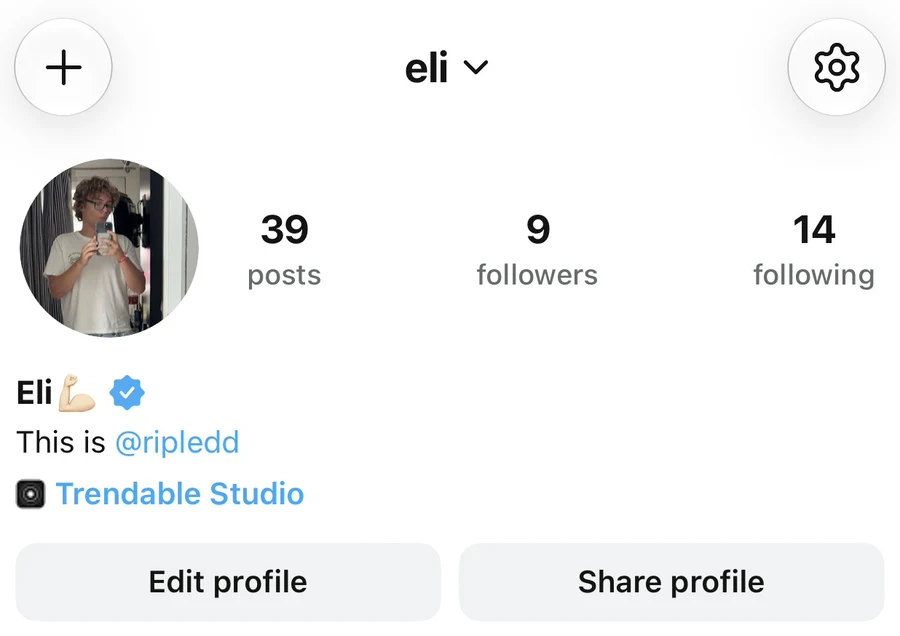
Tap your profile picture on the right side of the bottom navigation bar. Check the username at the top of your profile, then tap the gear icon in the top-right corner to open Settings.
If you use more than one Ripledd account, make sure the correct account is active before proceeding.
2. Open Danger Zone
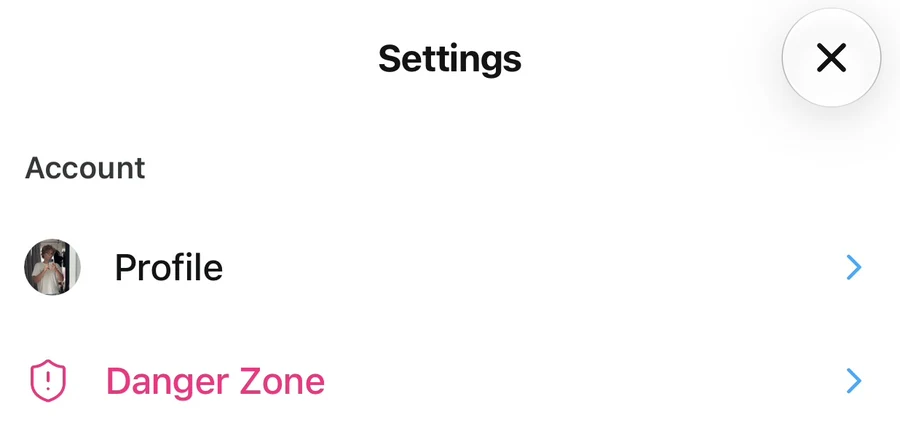
Under Account, tap Danger Zone.
3. Tap Delete Account
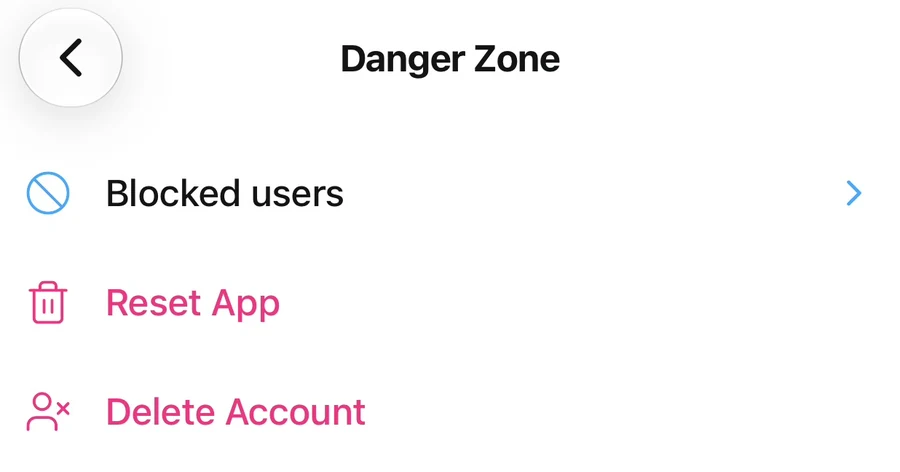
Tap Delete Account to open the confirmation prompt.
Reset App is a separate option. It clears local app data and signs you out of accounts on the device, but it does not delete your account or your posts.
4. Confirm your decision
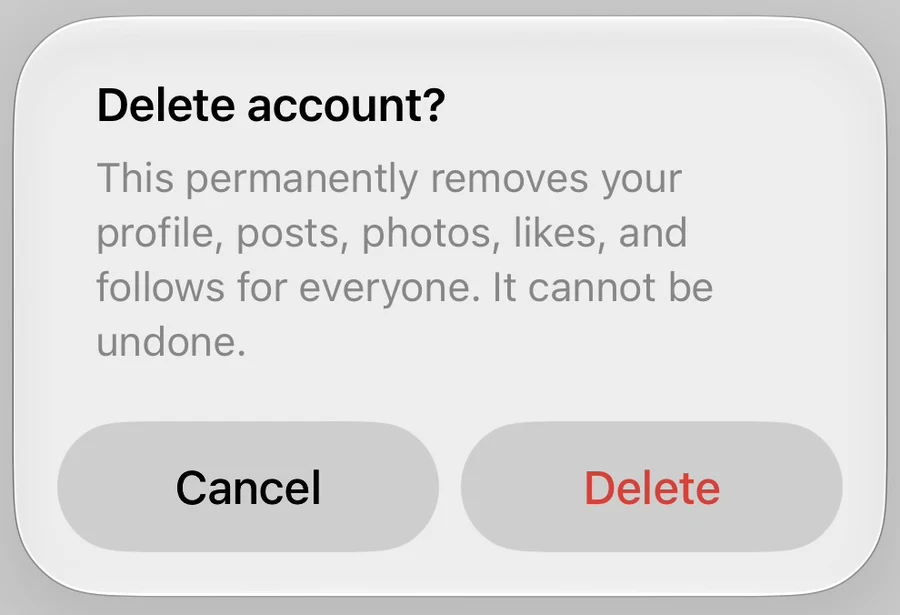
Read the Delete account? message. If you are ready to permanently delete your account, tap Delete. Tap Cancel if you want to keep it.
What happens to my data?
Deletion removes your account and its associated profile and content. Stored media may remain briefly in CDN caches or routine backups. Limited support and moderation records may be retained as described in the Privacy Policy.
Signing out or uninstalling the app does not delete your account.
What if I cannot delete my account in the app?
If the app shows an error, contact the Support Center and include the error message. Do not include your password or verification codes.
You can also request deletion by emailing privacy@ripledd.com from your account’s email address, or by providing your Ripledd handle. For details about deletion requests and retention, see the Privacy Policy.
Still stuck? Head to the Support Center and send us the details.